

1
Import your photos and videos
Choose the photos and videos you are thinking about posting. They’re processed directly on your device.

Your photo dump, sorted
Spend less time sorting and more time posting. SortMyDump helps choose your strongest photos and videos and arranges them into a carousel that flows.
Your finished selection is saved to a new album on your device in the correct order, ready to edit in Photos or your favourite photo editor, or upload directly to Instagram and post.
You can always switch things around afterwards, personal preference still wins, after all. 😉
Rated 5.0 on the App StorePrivate by design. Your photos stay on your device.
How it works
Choose the photos and videos you are thinking about posting. They’re processed directly on your device.
Pick the mood or style you want. SortMyDump helps choose your strongest content and arrange it into a carousel that flows.
Your finished selection is saved to a new album on your device in the correct posting order.
Edit your selected photos in Photos, Lightroom or your favourite photo editor, or upload the saved album directly to Instagram and finish your post there.
Leave the sorting to us
SortMyDump helps narrow down similar shots, choose the strongest photos and videos, and arrange them into a social media carousel with a natural flow. That means less time comparing the same images, changing the order and wondering what should go first.
It is made for travellers, creators, friends, couples and anyone putting together a holiday carousel, birthday post, event recap, weekend photo dump or collection of everyday moments.
SortMyDump focuses on selection and order rather than photo editing. Your content stays yours. Sorting happens on your device, and you remain in control of the final result.
A look inside
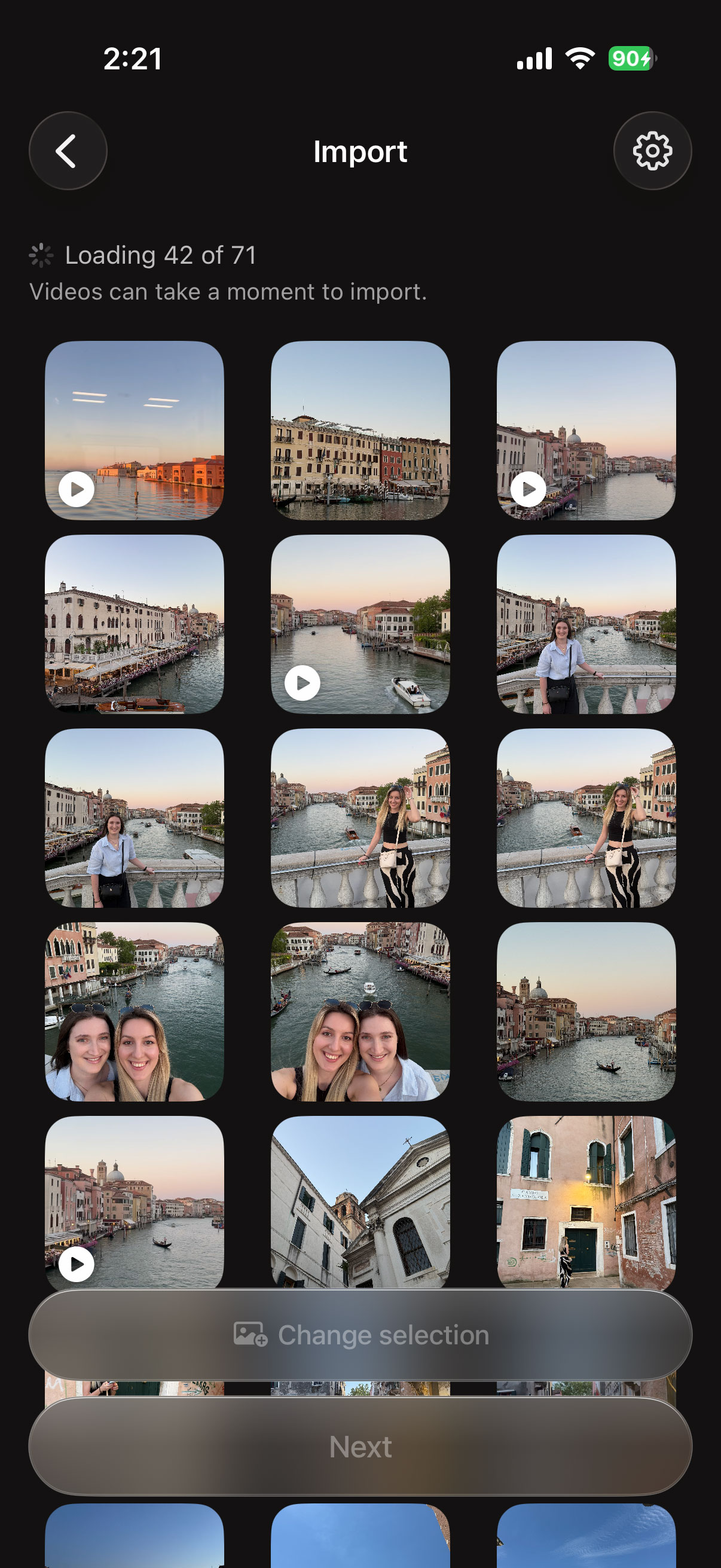
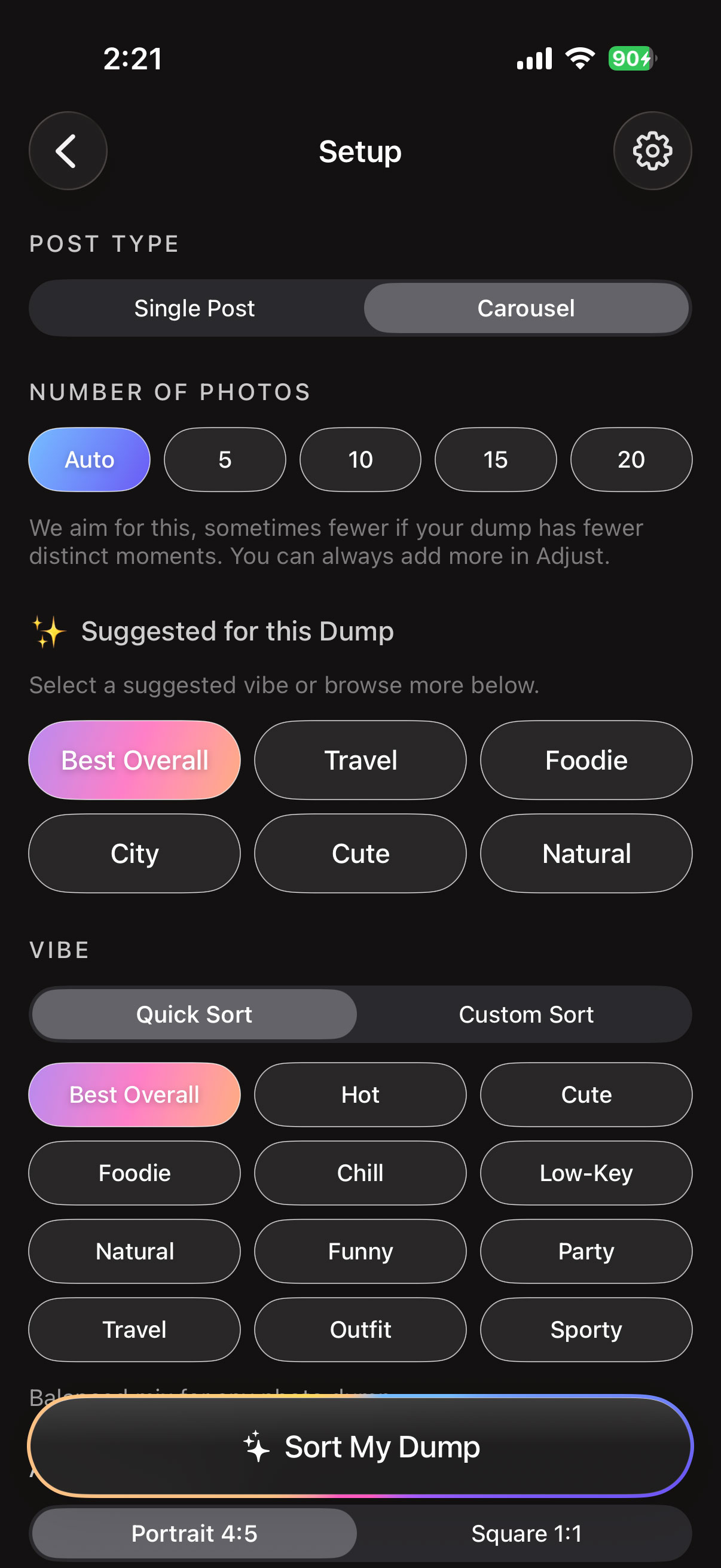
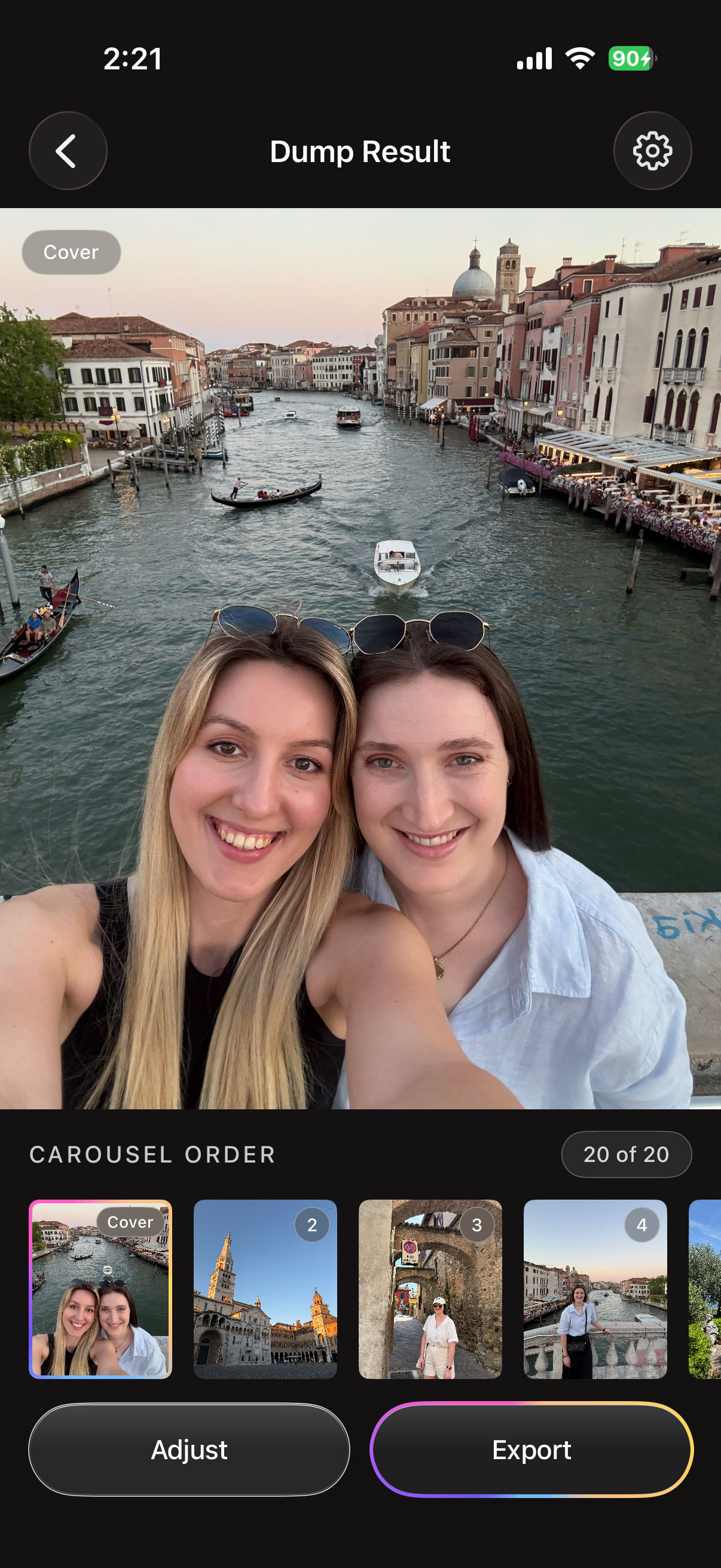
App features
SortMyDump helps identify the strongest content from the photos and videos you import.
Choose the mood you want for your post, and SortMyDump will use it to guide the selection and carousel order.
Your chosen content is arranged into an order that feels natural and works as a complete post.
Your finished carousel is saved to a new album on your device, ready to upload without sorting everything again.
SortMyDump helps choose and arrange your content. It does not apply filters, retouch images or change how your photos and videos look.
Your photos stay on your device. Selected photos and videos are processed on your device, NOT uploaded to SortMyDump servers or external AI services. No account to create.
Before & After
App Store reviews
App Store reviews, in their own words.
I got this app because I always spend way too much time trying to work out which photos I should upload and I love that this does it for me, and that I get to pick which vibe to go for! It’s so easy to use! It would be cool if it could also suggest some captions or tunes to go with the post 😍
Such a handy app! 😍 I always spend way too long choosing photos and deciding what order they should go in, so this makes the whole process so much easier. I also really like that it doesn’t edit or change your photos. It just helps sort them, then saves everything into a new album ready to post on whatever social media platform you use. Super simple and really useful.
Such a great app! Makes sorting through photos and putting together a photo dump so much quicker and easier. It put my photos in a great order, but I could still make little changes in the Adjust view to add my own personal touch. Super simple to use and has saved me so much time!
A note from the developer
SortMyDump is a free app built independently in my spare time, simply because I enjoy creating it and making photo sorting a little easier.
If there is a feature you would like to see, something that could work better, or a small improvement that would make the app more useful, feedback is always welcome.
Every message is read, and suggestions are added to a growing list of ideas and improvements to explore in future updates. Not everything can be promised, but all feedback is genuinely appreciated.
FAQs
Choose your photos, pick a vibe and let SortMyDump handle the overthinking.
Download Free AppLess scrolling. Less second-guessing. More posting.